Arkivelo
Notes · iPhone, iPad, Mac, Android, Windows

Notes you
never lose.

Every change is kept. Delete a line by mistake and get it back in two taps. Even weeks later.

Works right away in your browser. App Store and Google Play apps coming soon.

Has this ever happened to you?

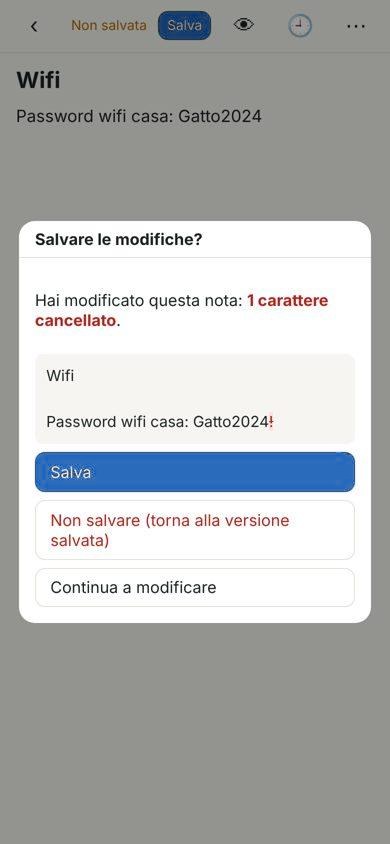
You open a note to check a password. One wrong tap and a character is gone. You close the app: the note has already saved itself, and the right version is lost.

That's why Arkivelo exists. It doesn't save behind your back: it shows you what changed and asks before saving. And if you save by mistake, the previous version is still there.

01

Every version, kept

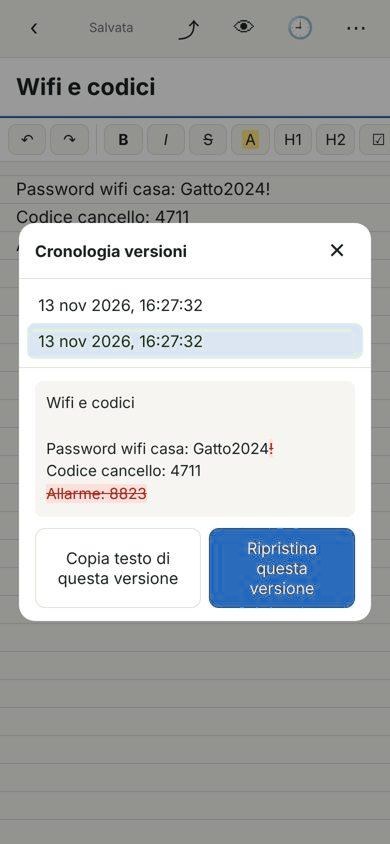
Each save keeps the previous version. See what was removed in red and restore it with a tap.

02

Asks before saving

When you close a note, you see exactly what you changed, even a single character. Save, discard, or keep writing.

03

A vault for passwords

Passwords live in an encrypted section, with fields locked against accidental edits. Every old password stays recoverable.
Built so you never lose a thing

And for everything else you do with notes, every day.

Before saving
Before savingSee what changed
History
HistoryGo back to any version
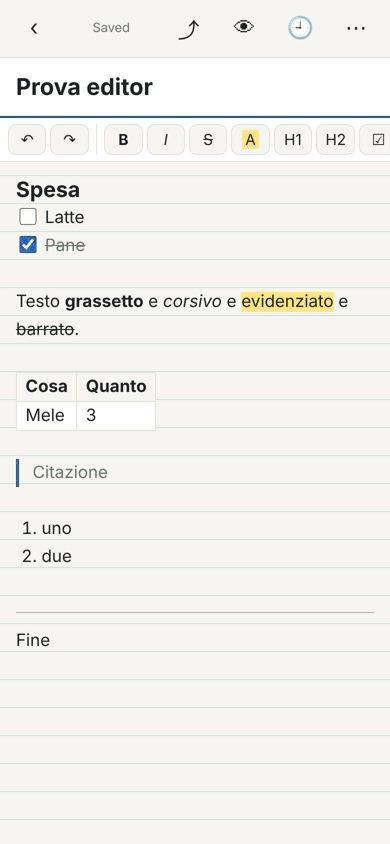
Visual editor
Visual editorLists, tables, highlights
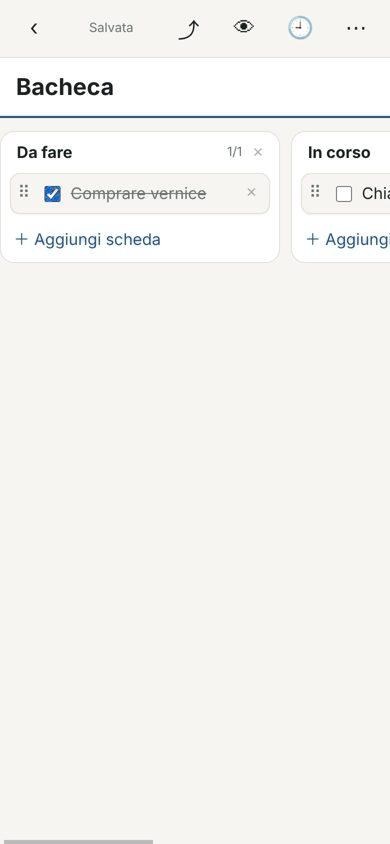
Board
BoardOrganize work in columns
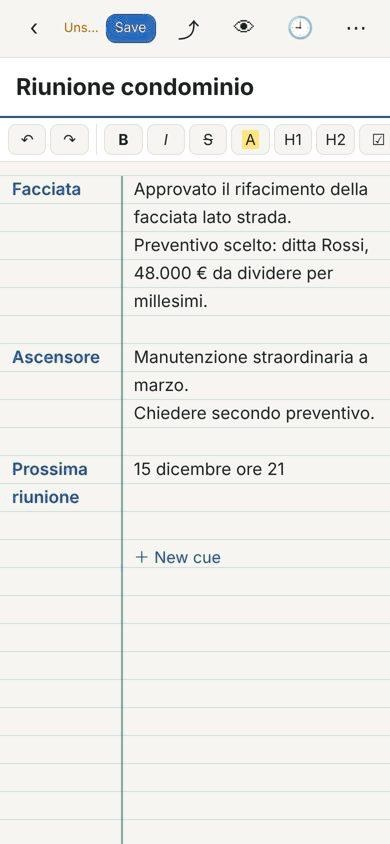
Cues
CuesThe two-column study method
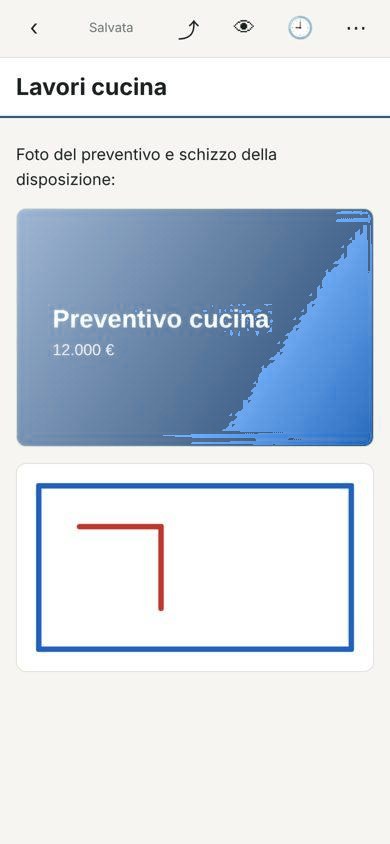
Photos & sketches
Photos & sketchesAttachments inside the note

Everything you expect. And a bit more.

Visual editorBold, headings, checklists, tables: you see them as you type.
Kanban boardColumns and cards you drag with a finger.
Cue formatKeyword on the left, explanation on the right. Great for studying.
Lines, grid, marginsPick your paper, like a real notebook.
Folders, #tags, pinned notesOrder without effort.
Smart searchMultiple words, accent-insensitive, highlighted results. Quick open with ⌘K.
Photos, PDFs, hand sketchesWith Apple Pencil, pressure-sensitive.
Templates & daily noteMeeting, shopping, trip, journal, project. Or your own.
Reminders in CalendarWith a link that reopens the note.
Export & sharePDF, Word, Markdown, text, web page, email, WhatsApp.
Import your notesFrom Apple Notes, Evernote, Obsidian, text files.
Protected notesEncrypted with your vault password, history included.
iPad & MacList on the left, note on the right, keyboard shortcuts.
English & ItalianMore languages coming.
Sync & collaborationAcross your devices and with whoever you choose.COMING

Your data stays yours.

Like every LEFTHERA product: one thing, done well, respecting the people who use it.

01

No ads, no tracking

We don't sell data or profile anyone. The app has no ads.

02

Encrypted on your device

The vault and protected notes are encrypted before they're stored (AES-256). The key is yours alone.

03

Open format

Notes are Markdown: open them with any app, even twenty years from now. Export everything whenever you like.

FAQ

Do I need an account?

No. Today your notes stay on your device and you can back them up anytime. An account will only be needed for sync, when it arrives.

What if I forget the vault password?

Nobody can recover it, not even us: that's the price of real encryption. That's why we tell you before you create it.

Can I bring my notes from Apple Notes?

Yes. In Apple Notes choose Share → Export as Markdown, then import the file. It also works with Evernote and Obsidian.

How much does it cost?

It's free during the trial. Core features will stay free.

Stop losing your notes.

Try it free